Launching the eAlbum 3D Museum: your wedding album, now a place to walk through
The eAlbum 3D Museum is live. The same QR code on a wedding album now opens a walk-through museum with an Album Room, Cinema Hall, games and wishes.
 eAlbum teamUpdated 2 min read
Short answer
- The eAlbum 3D Museum is the same wedding album opened as a 3D museum that the family walks through on a phone.
- It opens from the album’s QR code or access code in the phone browser, with a 3D Museum button. No app is needed.
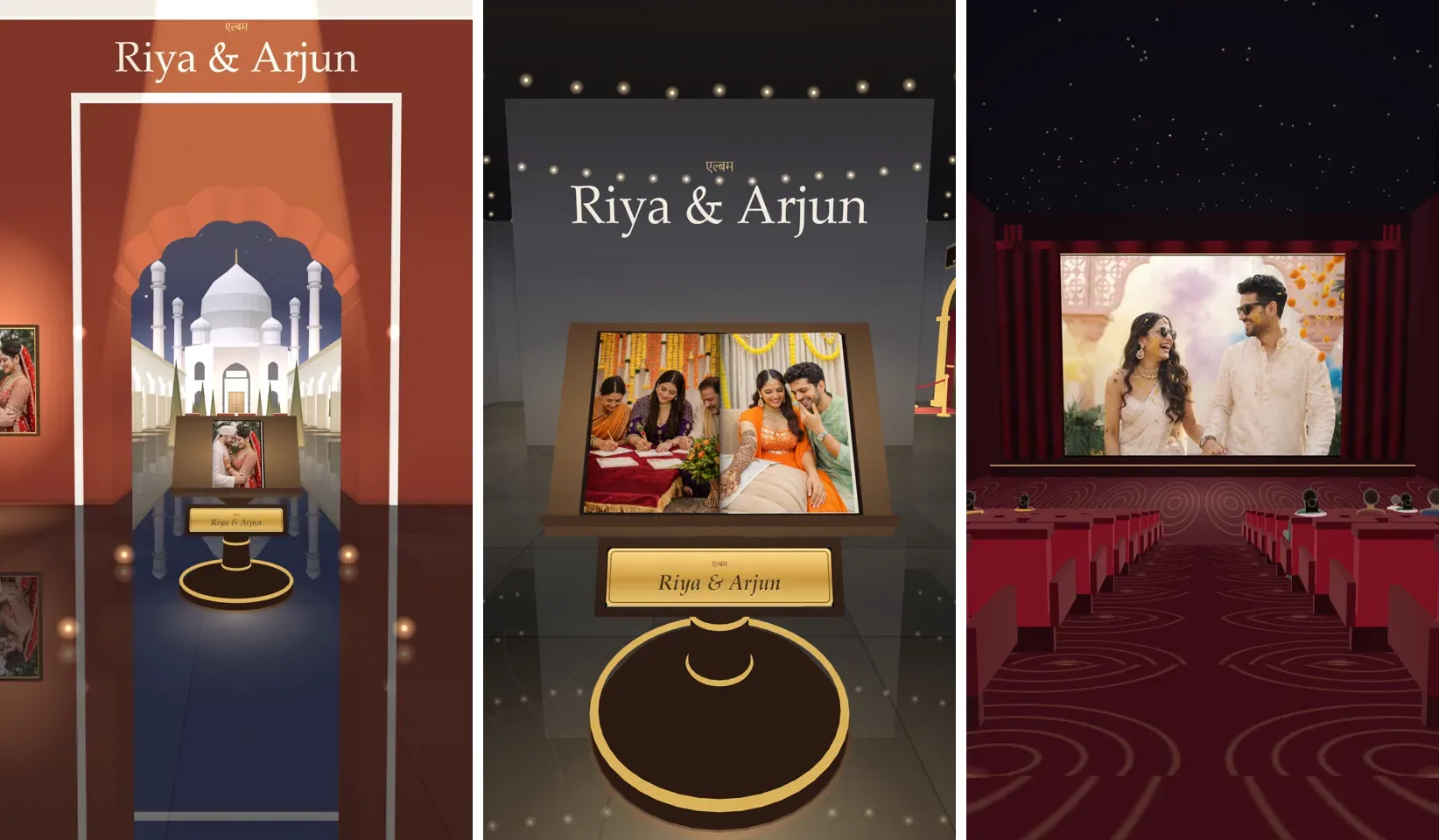
- Inside are the album on a stand, an Album Room, a wishes wall, a Cinema Hall for the wedding film, photo games and a grand finale.
- Photographers and labs make the eAlbum the same way as before.
A wedding album is usually turned page by page and put back in the cupboard. With the eAlbum 3D Museum, the family can now walk into it.
The same wedding photos hang in a gallery. The album sits on a stand and turns its own pages. There is a cinema for the wedding film, a wall for wishes and games made from the couple’s own pictures.
See it on your phone
This is a sample album with an AI-made couple. Open it on your phone and tap 3D Museum:
What is inside the museum
- Six museum styles. Each has its own entrance and look, so every couple can walk through the one that suits them.
- The Album Room. A quiet room where the family turns the album page by page. Relatives can light a diya with a blessing.
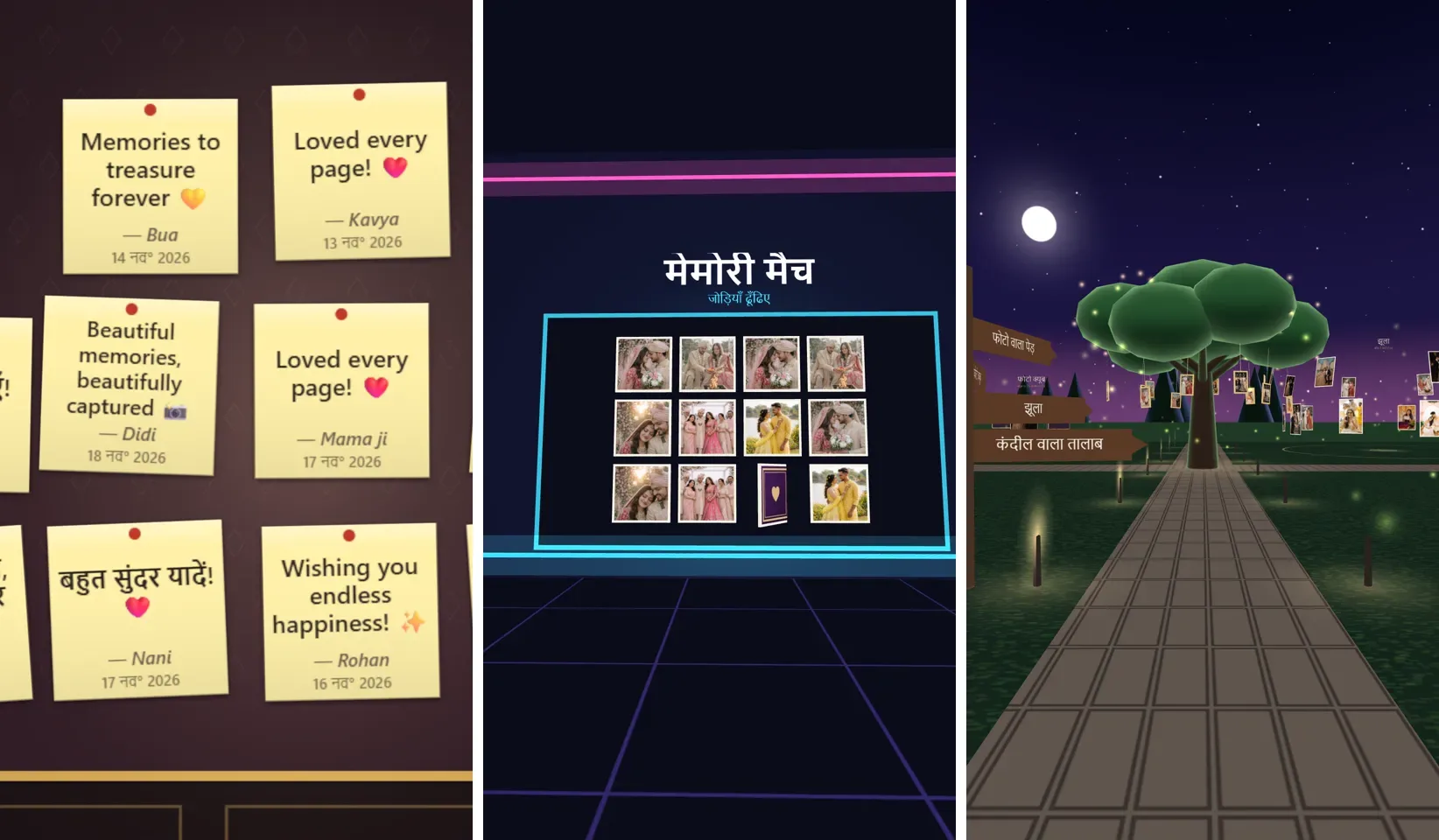
- Wishes wall. Family and friends leave a note that stays next to the album.
- Cinema Hall. The curtains open and the wedding film plays on a big screen.
- Photos that come alive. A photo with an Alive Print video plays it right on the museum wall.
- Game Zone. A photo puzzle and a memory match made from the couple’s own photos.
- Dream Garden and grand finale. A night garden, then a terrace with fireworks and the couple’s names in the sky.
Easy for the whole family
The museum works in Hindi or English. Nothing needs to be installed, and the same link can be sent to relatives in another city or country.
The family can also make a reel of the album, or sit back and let the museum walk itself.
The album itself has a new look too. It turns in 3D, and a Classic view is one tap away for anyone who prefers the familiar page flip.
What it means for photographers and labs
You make the eAlbum the same way as before. The QR code on the last page stays the same, and so do the access code and the link.
What changes is what your client sees: your album, as a place their family wants to visit again.
To see more rooms and pictures, read what’s new in eAlbum. For a demo, contact us.
Frequently asked questions
How do I open the 3D Museum?
Scan the QR code on the album or open your album link, then tap the 3D Museum button. If you do not see the button on your album, ask your photographer or album lab.
Do I need to install an app?
No. The museum opens in the phone browser, including from a WhatsApp link.
Does the museum replace the page-turning album?
No. The album still opens first, as it does today. The museum is a new experience on top of the same album.
Is there an extra charge for photographers or labs?
No. The 3D Museum comes with the eAlbum, and the way you make the album does not change.
Can the wedding film play inside the museum?
Yes. The Cinema Hall plays the couple’s film from a YouTube link or an uploaded film. Without a film, it shows the album as a slideshow.